
Description
1.0.4
Features Pro
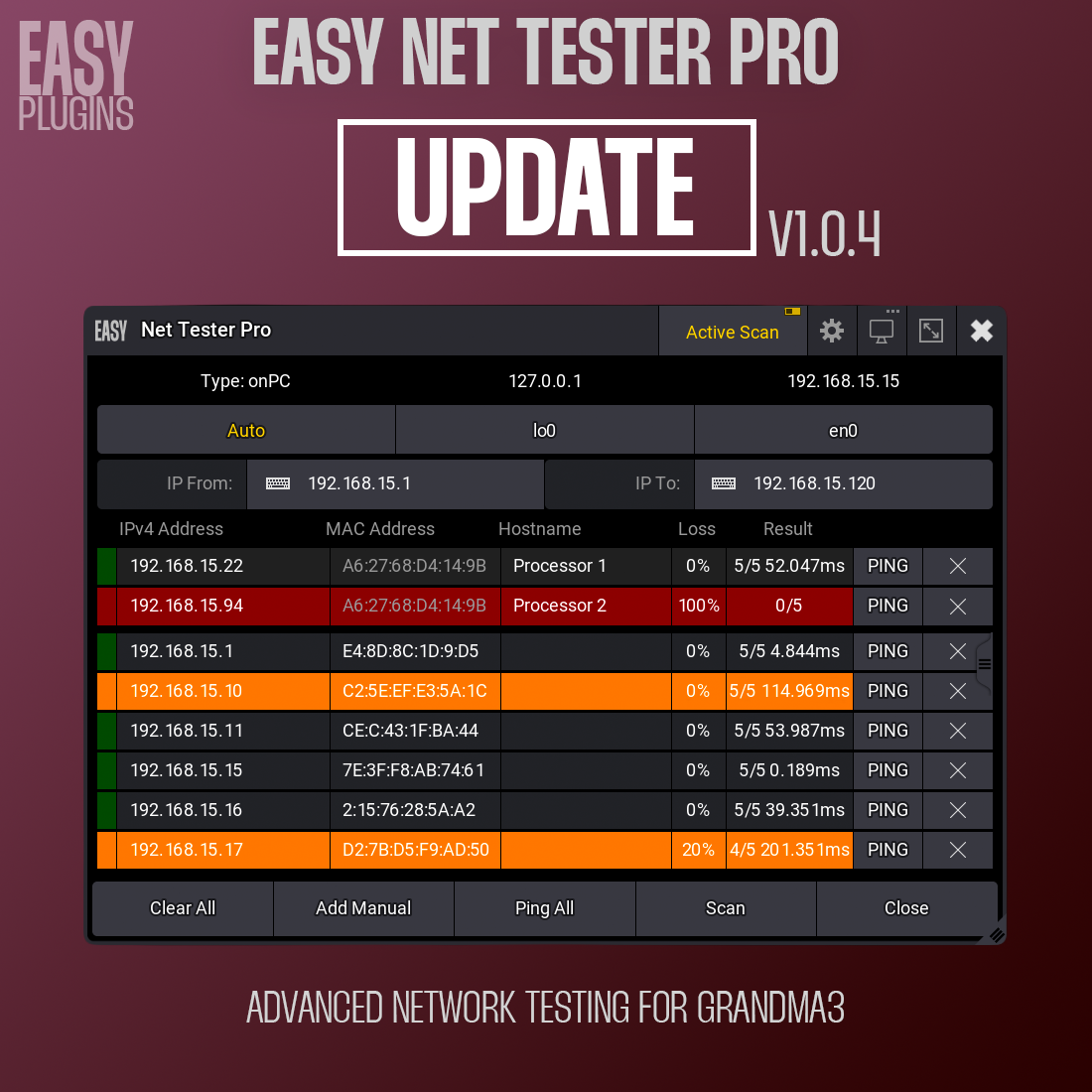
- Ping All — One button to ping every device in the list (5 packets each). Results show packet loss, latency, and color-coded status for the whole network at a glance.
- Manual device management — Add devices by IP. Entries are saved between sessions and shown in a dedicated section above scanned devices.
Features
- Automatic network scanning — Discover devices via the system ARP table. Platform-specific: macOS uses DNS-free ARP; console uses multi-method fallback (ip neigh, arp, /proc/net/arp) for compatibility across firmware versions.
- Active Scan — Ping sweep over a custom IP range (up to 1000 IPs) to find devices not in the ARP table. Range is saved for the next run. “From”/“To” order is normalized if entered backwards.
- Per-device ping — Ping button on each device: 5 packets, packet loss %, average latency, and color status (green online, orange >100 ms, red offline).
- Interface selection — Choose network interface (AUTO or specific) to scan the right segment.
- System Monitor Ping printing
- Display options — Fullscreen or windowed on any display; preferences are remembered.
- Auto-update — Optional version check and update notification.
What you see per device
- IP address
- MAC address
- Hostname
- Packet loss (%)
- Ping result (received / avg latency)
- Color status indicator
Tested on GrandMA3 v2.3.2



Reviews
There are no reviews yet.