

Description
Enables you to quickly batch-rename labels across almost any pool in your showfile. It saves hours of repetitive manual work by applying consistent naming rules in seconds.
Replace multiple occurrences inside each label
Find: Col
Replace with: Test
Colgroup_Col1 → Testgroup_Test1
Add a prefix without changing the rest
Find: Col
Replace with: Tour_Col
Col 1 → Tour_Col 1
Ignore
Use Ignore to protect parts you don’t want to change.
Find: Col
Replace with: Test
Ignore: Colgroup
Colgroup_Col1 → Colgroup_Test1
Wildcard *
Use * in Find to match and replace variable parts of the label.
Find: Col*
Replace with: Test
ColHouse_Col 1 → Test 1
Find: *Col
Replace with: Test
PopCol 1 → Test 1
Deleting text
Leave Replace with empty to delete.
Find: Main
Replace with: (empty)
 MainCol 1 → Col 1
Col 2 → Col 2
Target a whole pool
Find: Col
Replace with: Tour_Col
Target: Preset 4. thru
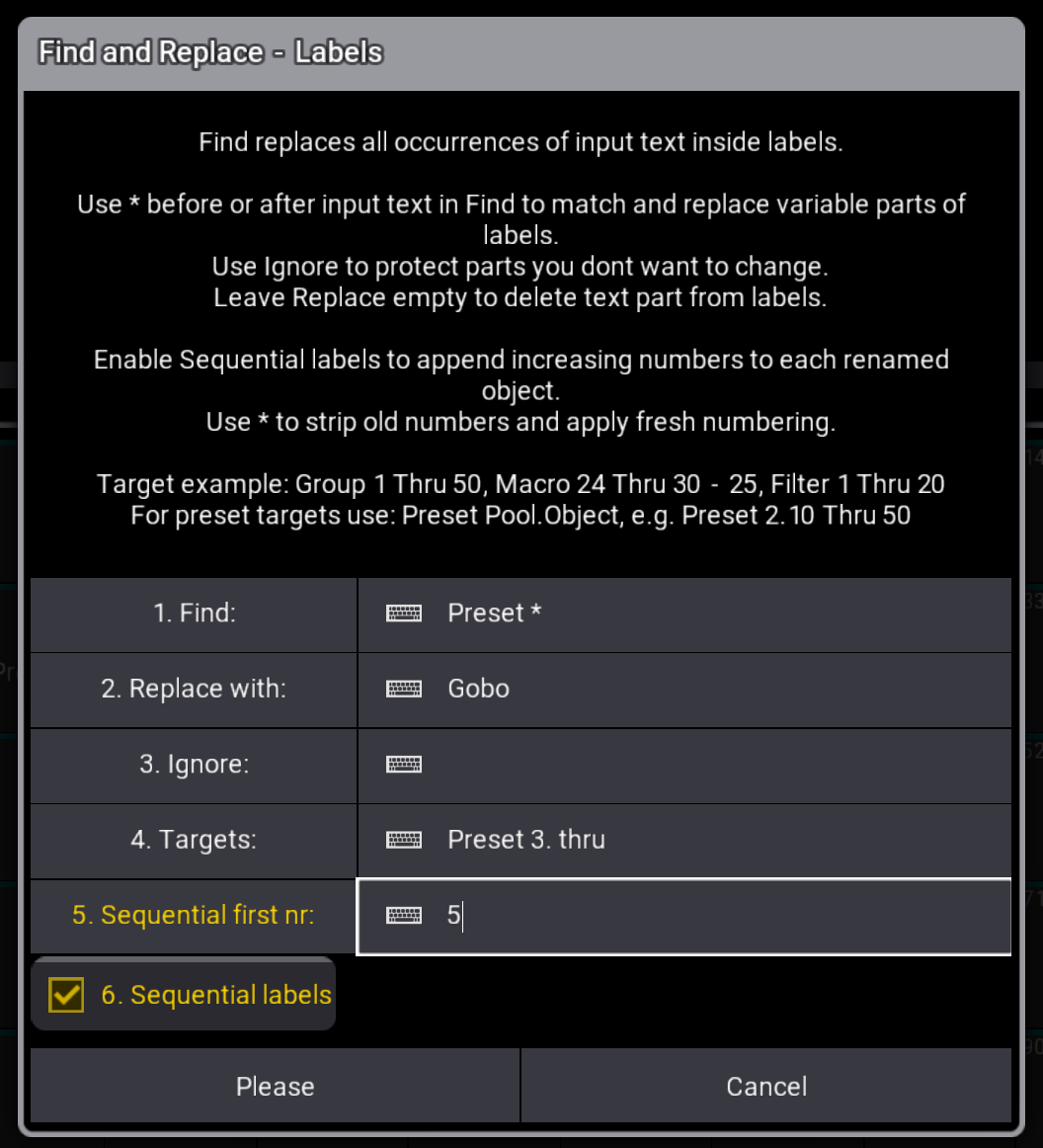
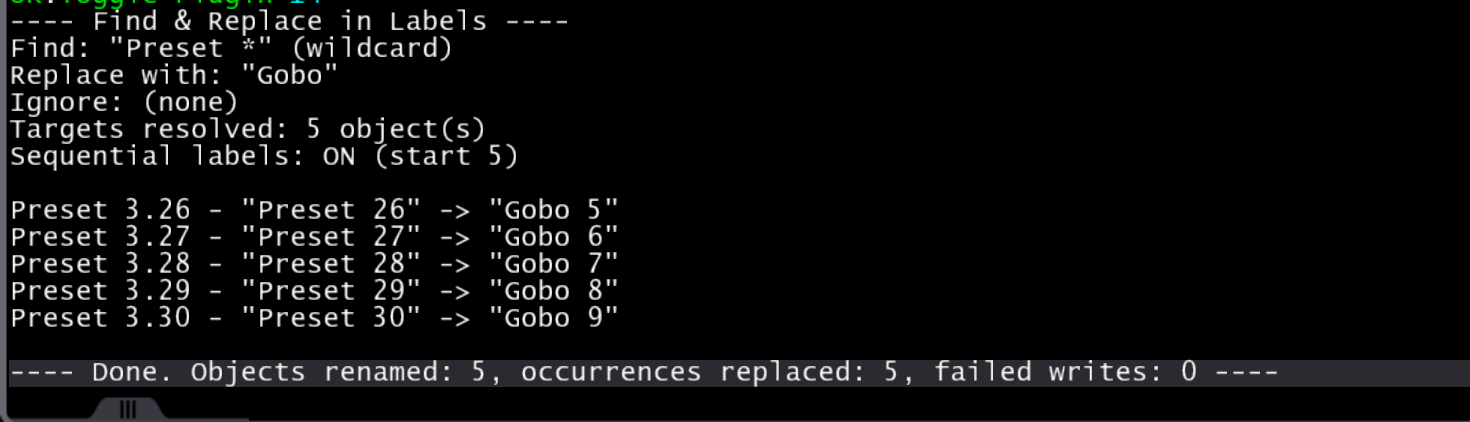
Sequential numbering
Enable Sequential labels to append increasing numbers to each renamed object (sorted by lowest pool number).
Find: Col*
Replace with: Test
Sequential first nr: 5
Sequential labels: ✅
Colgroup_Col1 → Test 5
Colgroup_Col2 → Test 6
Colgroup_Col3 → Test 7
Renumber already-numbered objects
Use * to strip old numbers and apply fresh numbering.
Find: Col *
Replace with: Col
Sequential first nr: 1
Sequential labels: ✅
Col 12 → Col 1
Col 16 → Col 2
Col 19 → Col 3
Default object names hidden numbers
MA3 sometimes displays default names without showing their internal number in the UI. That can create unexpected results if you rename without a wildcard.
Example:
- Looks like: Group
- Internally: Group 5
- Find: Group Replace: Col + Sequential labels
→ can become: Col 5 1 (because the hidden “ 5” is kept)
To avoid this, add * to remove the hidden suffix:
Find: Group *
Replace with: Col
Sequential first nr: 1
Sequential labels: ✅
Internal Group 5 → Col 1
Internal Group 6 → Col 2
Internal Group 7 → Col 3
Quirky pool naming
To access presets as targets use
Preset <pool>.<number>
- The first number is the feature group / preset pool number.
- The second number is the preset (pool object) number.
For example Preset Position 4 is: Preset 2.4
Target: Preset 2. thru
The plugin auto-fixes common plural typos by removing a trailing s, so both of these work:
- Groups 1 Thru 50
- Group 1 Thru 50
Gobos / Symbols / Images
In MA3 these are internally stored under the Image object type with sub-categories:
- Gobo = Image 1.x
- Symbols = Image 2.x
- Images = Image 3.x
The plugin translates these automatically, so you can target:
- Gobo 1 Thru 50
- Symbols 1 Thru 50
- Images 1 Thru 50
You can also target the internal form directly, e.g.:
- Image 3.10 Thru 40
Universes
In MA3 these are internally stored under the DMXuniverse pool.
The plugin translates these automatically, so you can target:
- Universe 1 Thru 50
- Universes 1 Thru 50
- DMXuniverse 1 Thru 50
Compatibility and notes
- v. 1.0.1, Release date 3 March 2026
- Changing labels with the plugin is not Oops-able, save a backup before changing large quantities of labels.
- Developed & tested on grandMA3 v2.3.2.0.
- Intended for grandMA3 consoles and onPC, v2.2+




Reviews
There are no reviews yet.