
Description
About Patch to PDF
“Patch to PDF” is a powerful tool designed to help you efficiently convert your patch information from the grandMA3 software into the PDF format. This paperwork can then be used to support technical planning and setups. With our user-friendly software, you can quickly and easily transform your grandMA3 OnPc patch files into clear and concise PDF documents.
Key Features of Patch to PDF
– Quickly and easily convert grandMA3 patch files to the PDF format.
– Organize your PDF document based on Fixture Types or DMX addresses for easy reference and planning.
– Choose which patch information to export, allowing you to select the data that is most relevant to your needs.
Make your work easier and keep track of your technical data and setup information with ease using Patch to PDF!
Select your export sorting, by fixture types or sorting by DMX addresses.
You can also select which information should be exported from the patch.

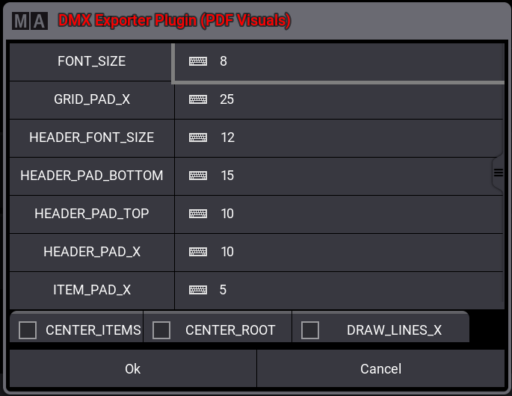
Customize your PDF and edit the design for export.

DOWNLOAD –> User Manual
Known Limitations
Please note that a PDF file can only be exported from grandMA3 OnPc software.
Export from grandMA3 hardware is not possible.
Version 1.0.7.0 v2.4





webmaster –
Very Useful!
Verified purchase. More information