
Description
QuickAccess – Quick Macro & Playback Launcher for grandMA3
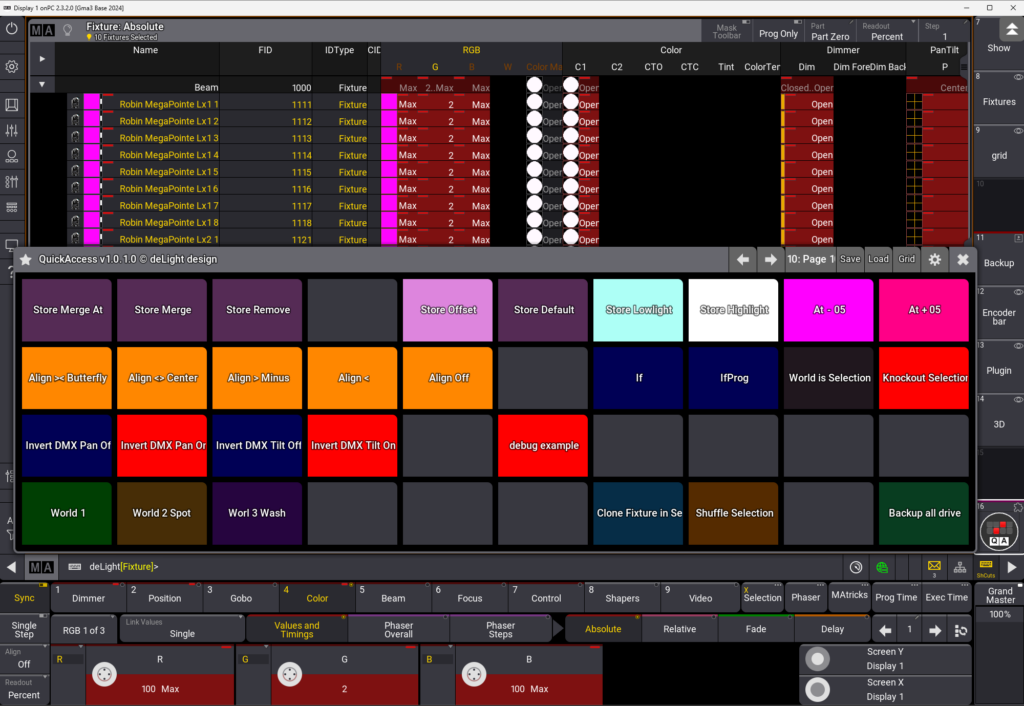
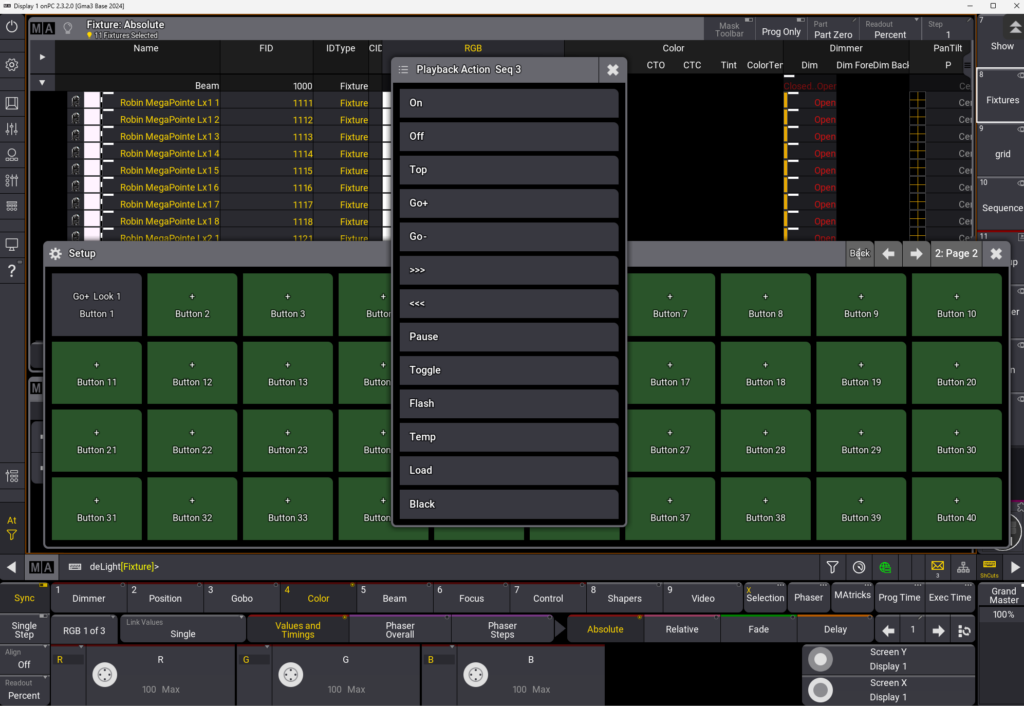
A professional plugin providing instant access to your most-used macros, plugins, worlds, filters, MAtricks, and sequences through a customizable 8×4 button grid interface.
KEY FEATURES:
- 10 customizable pages (320 buttons total)
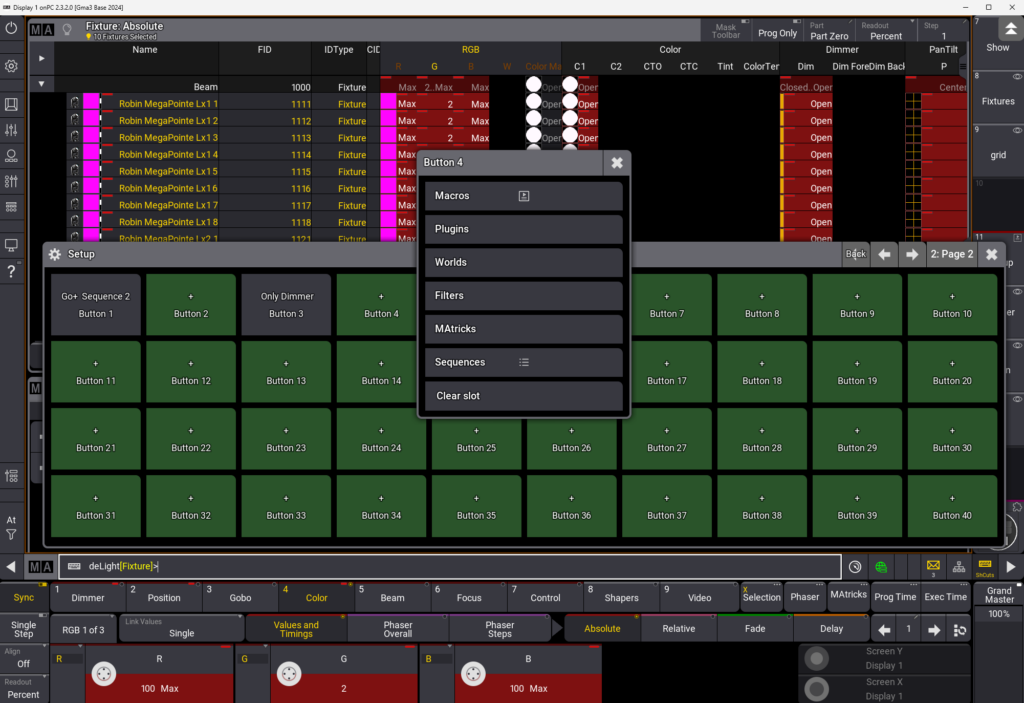
- 6 assignable types: Macros / Plugins / Worlds / Filters / MAtricks / Sequences
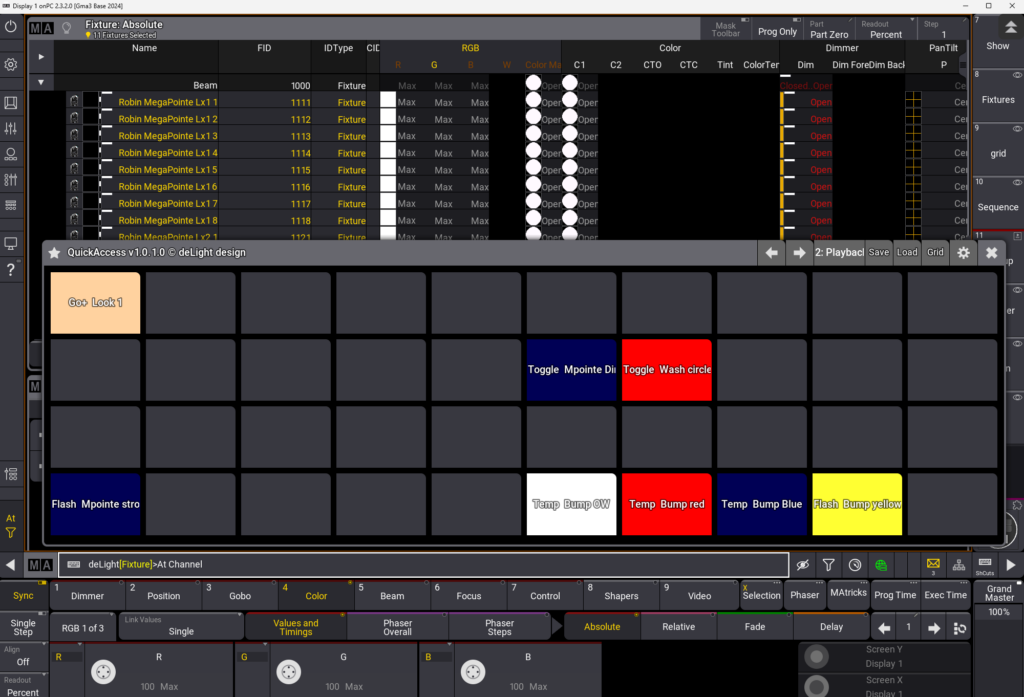
- Sequence playback actions: Go+, Go-, Toggle, Flash, Temp, On, Off, Pause, Load, etc.
- Custom button labels and 24-color RGB appearance system
- Save/Load configurations (User Variables + USB backup)
- Auto-save on every modification
- Adjustable grid size (default 8×4)
- Bottom-screen docked interface (95% width)
- USB dongle license protection
WORKFLOW:
- Open plugin → 8×4 grid appears at bottom of screen
- Setup mode: Assign functions to buttons
- Customize: Labels, colors, organize across 10 pages
- Save/Load: Multiple configs for different shows
- Live mode: One-click execution from main interface
TECHNICAL:
- Compatible: grandMA3 v2.3+ (console & onPC)
- Storage: User Variables + optional USB JSON
- License: USB dongle (QuickAccess.lic)
- Clean code: No obfuscation, professional Lua standards
- Auto-persistence: Config saved after every change
PERFECT FOR:
- Fast access to repetitive macros during live shows
- Organizing playback workflows across complex productions
- Multi-page setups for different show sections
- Console operators needing streamlined control
INSTALLATION:
- Copy .lua + .xml to gma3_library/datapools/plugins/
- Insert USB dongle with QuickAccess.lic
- Call Plugin ‘QuickAccess’
© 2026 deLight design
Version: 1.0.1.0 (Production Stable)
License: Commercial (USB dongle required)




Reviews
There are no reviews yet.